Royale Casino ID Verification for New Players – What Documents You Need
Why Royale Casino Asks for ID Verification
When you register at Royale Casino, you'll eventually need to verify your identity by uploading a government-issued ID and sometimes a selfie. This step is standard across online casinos operating in the Philippines and serves several purposes.
First, Royale Casino must confirm you are at least 21 years old—the legal minimum age for online gambling in the country. Second, ID checks help prevent fraud, money laundering, and account sharing. Third, verifying your identity protects your account: if someone tries to access your funds or change withdrawal details, the casino can confirm requests against the name and photo on file.
Most players will be asked to verify their ID before making their first withdrawal, though Royale Casino may also request documents during the Royale Casino register process or after you log in for the first time. The exact timing depends on your deposit amount, activity, and the platform's security protocols.
Even if you're only planning to deposit PHP 100 or PHP 500 through GCash or Maya, expect to complete this step eventually. It's faster and simpler to upload your documents early—right after you finish the Royale Casino register flow—so there's no delay when you want to cash out your winnings.
Accepted ID Types in the Philippines
Royale Casino accepts government-issued photo identification commonly held by Filipino citizens and residents. You only need to submit one primary ID from the list below:
- Philippine passport – The bio-data page showing your photo, full name, date of birth, and passport number.
- Driver's license – Both the front and back of your card. Make sure the license is current and not expired.
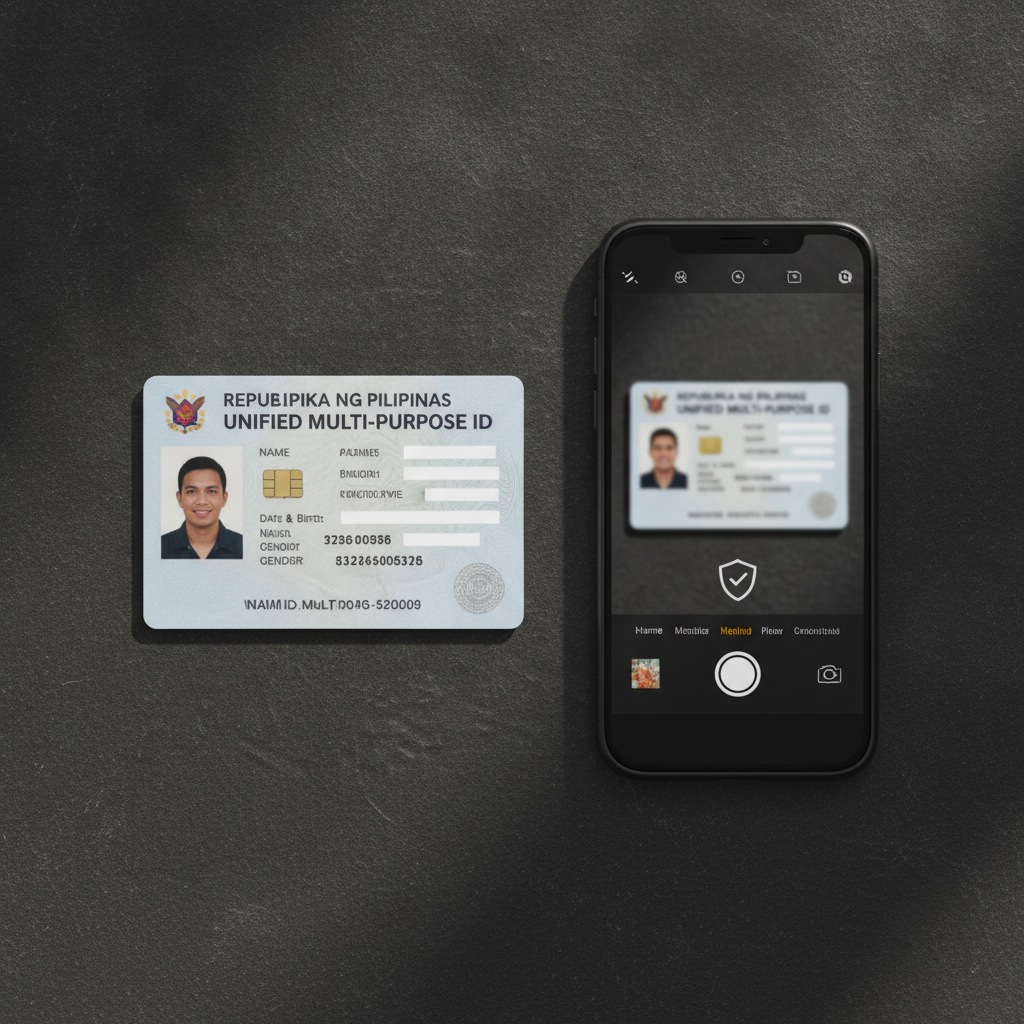
- Unified Multi-Purpose ID (UMID) – Front and back. This is one of the most widely used IDs in Metro Manila and the provinces.
- SSS ID – Social Security System identification card, front and back.
- PhilHealth ID – Both sides of the card.
- Postal ID – Government-issued postal identity card, front and back.
- Voter's ID – COMELEC voter identification, showing your photo and personal details.
- PRC ID – Professional Regulation Commission license if you hold one (e.g., for nurses, engineers, teachers).
What Royale Casino will not accept:
- Barangay certificates or barangay IDs (not considered government-issued photo ID at the national level for casino verification).
- School or company IDs.
- Photocopies, scanned printouts, or screenshots of an ID displayed on another screen.
- Expired documents. Your ID must be valid on the date you upload it.
If your ID does not show your current address, that's usually fine—Royale Casino is primarily checking your name, photo, date of birth, and that you're over 21. Some players in the provinces worry their rural address will cause problems, but as long as the ID itself is legitimate and matches the name you used during Royale Casino register, you should have no issues.
How to Upload Clear Photos of Your ID and Selfie
Blurry, cropped, or poorly lit photos are the most common reason verification gets delayed or rejected. Follow these steps to get it right the first time.
Taking a Photo of Your ID
- Use good lighting. Natural daylight near a window works best. Avoid direct camera flash, which can create glare and wash out text.
- Place your ID on a flat, dark surface. A table with a plain black or dark blue background helps the edges of your card stand out.
- Hold your phone steady. If your phone camera has trouble focusing, tap the screen over the ID to lock focus. Take the photo from directly above, not at an angle.
- Capture all four corners. The entire card must fit in the frame. Don't cut off any edges, and make sure every line of text—especially your name, date of birth, ID number, and expiry date—is sharp and readable.
- Check the image before uploading. Zoom in on your phone to confirm you can read your name and birthdate clearly. If you can't, the verification team won't be able to either.
If your ID has information on both sides (like a driver's license or UMID), you'll need to upload two separate photos—one of the front, one of the back. Do not combine them into a collage or edit them in any app that adds filters or text.
Taking a Verification Selfie
Some players will also be asked to upload a selfie—a photo of yourself holding your ID next to your face. This step matches your live appearance to the photo on the ID.
- Hold your ID beside your cheek so both your face and the ID photo are visible in the same frame.
- Face the camera directly in good lighting. Remove sunglasses, hats, or masks.
- Keep the ID steady and readable. The verification team needs to see the photo on your ID clearly, so don't cover it with your fingers.
- Use your phone's front camera or ask someone to take the photo. A mirror selfie often causes glare or makes text backwards.
File Format and Size
Royale Casino typically accepts JPEG or PNG files. Most phone cameras save photos as JPEG by default, so you won't need to convert anything. The upload form may have a file-size limit (often 5 MB or 10 MB per image). If your photo is too large, use your phone's built-in editor to reduce the resolution slightly—just make sure text stays crisp.
How Long Verification Usually Takes
Once you upload your documents through the Royale Casino account dashboard or the email link provided, the verification team will review them.
Standard processing time is 24 to 48 hours on business days. Many players in Metro Manila report approval within a few hours if they submit documents in the morning. Reviews can take longer on weekends, public holidays (like during long provincial holidays), or if the platform is handling a high volume of new registrations.
If Royale Casino needs additional information—for example, a clearer photo or a second form of ID—you'll receive an email or an in-app notification. Respond as quickly as possible to avoid further delays. Check your spam or promotions folder if you don't see a reply within two days.
What happens after approval?
You'll get a confirmation message, and your account status will update to "Verified." At that point you can continue depositing via GCash, Maya, or bank transfer, and you'll be able to request withdrawals without hitting a verification hold.
What if your documents are rejected?
Common reasons include:
- Blurry or cropped images.
- Expired ID.
- Name on the ID doesn't match the name you entered during Royale Casino register.
- Using a non-accepted document type (like a barangay certificate).
If this happens, double-check the email explanation, fix the issue, and re-upload. There's no penalty for resubmitting, and most players get approved on the second try.
Tips to Speed Up the Process
- Verify early. Don't wait until you want to withdraw. Upload your ID right after you complete the Royale Casino register steps, even before your first deposit.
- Use your legal name. The name on your Royale Casino account must exactly match the name on your government ID and your GCash or Maya wallet. Middle initials and suffixes (Jr., III) should also match.
- Double-check image quality. Zoom in on each photo before you hit upload. If you squint to read your birthdate, the reviewer will have the same problem.
- Keep your ID valid. If your driver's license or passport is about to expire, renew it first or use a different ID. Royale Casino will reject expired documents every time.
21+ Age Requirement and Responsible Gambling
Royale Casino is strictly for players aged 21 and over. The ID verification process enforces this rule: if your birthdate shows you're under 21, your account will be suspended or closed, and any deposits will be returned.
Online gambling—whether you're spinning slots, joining a live dealer table, or betting on PBA and NBA games—should be entertainment, not a way to make money or solve financial problems. Set a budget before you play, and never deposit more than you can afford to lose. If you find yourself chasing losses or spending more time and money than you planned, take a break and consider reaching out to a responsible-gambling helpline.
Royale Casino provides account tools such as deposit limits and self-exclusion options. Use them if you need to manage your play. Remember that no bet is guaranteed, and every game carries risk.
This guide is an independent resource for Filipino players exploring Royale Casino. It is not operated by or affiliated with Royale Casino itself. All information is provided for educational purposes. Always gamble responsibly and within your means.